
Tabble? What's that?
Actually quite simple: at Tabble we provide tables. We will explain in three steps how it works and how it helps you:
1. Create Table
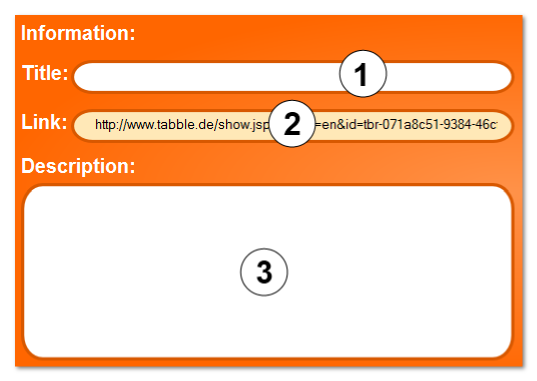
In the first step you create the table. Therefore you hit the button "Create Table" on the starting page. Name (1) the table and describe (3) it in the according field.
The most importing thing is: Put the first content into the table, e.g. Column and row captions. "I'll be there" and "I'll bring with me" are examples for captions from the popular party organizer table.
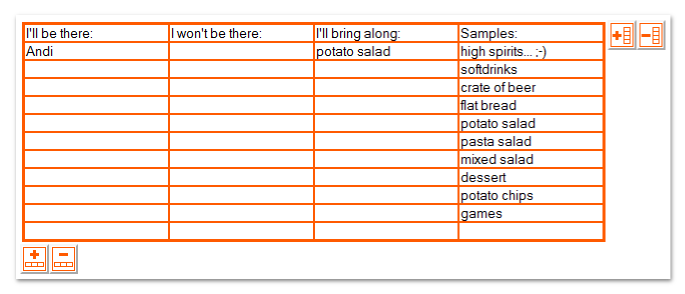
With the buttons to the right and below the table it is possible to add and remove rows and columns.
Large tables on a phone
On a small screen, you can move a wide table horizontally inside the table area. When the table is wider than the available space, the “Large table view” button also appears. This view lets you zoom and pan the whole page like the earlier layout. Select “Mobile view” to return to the responsive layout. Tabble remembers your choice in that browser.
2. Share Table
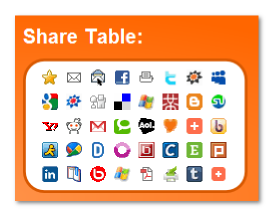
After the table has been created and prepared, inform the people who should see and edit it. Use the email function below the table, or copy the link (2) directly from your browser.
3. Table fills up
After the word about the table has spread, you can watch the table filling up. Bit by bit changes and additions arrive, content occurs and is edited.
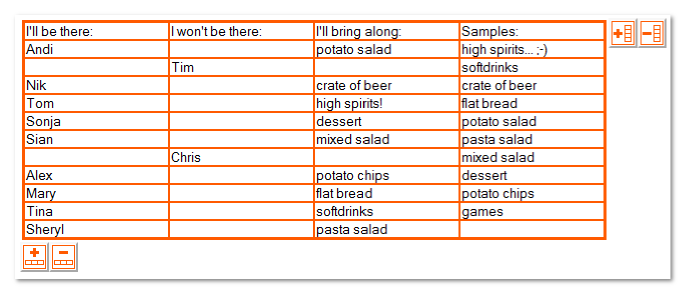
To organize a Bring-your-own-whatever has never been so easy. And this only one example for the use of Tabble. Probably you have also good ideas how to use Tabble.
Tabble is a tool. For what kind of application do you want to use it?
Enjoy yourself in doing so!
The Tabble-Team